Wordpress Configuration
Setup and Settings
- Open localhost (http://localhost/wp/wp-admin/install.php)
- In the first page, select the default language and click Continue.
- In the next page, fill in the Site Title, username, password and email address, then click Install WordPress.
- Go to the login page (http://localhost/wp/wp-login.php) and log in with the username and password you just created.
- You will be redirected to the WordPress dashboard.
- Go to
Settings > Permalinksand select the Post name option as shown below.
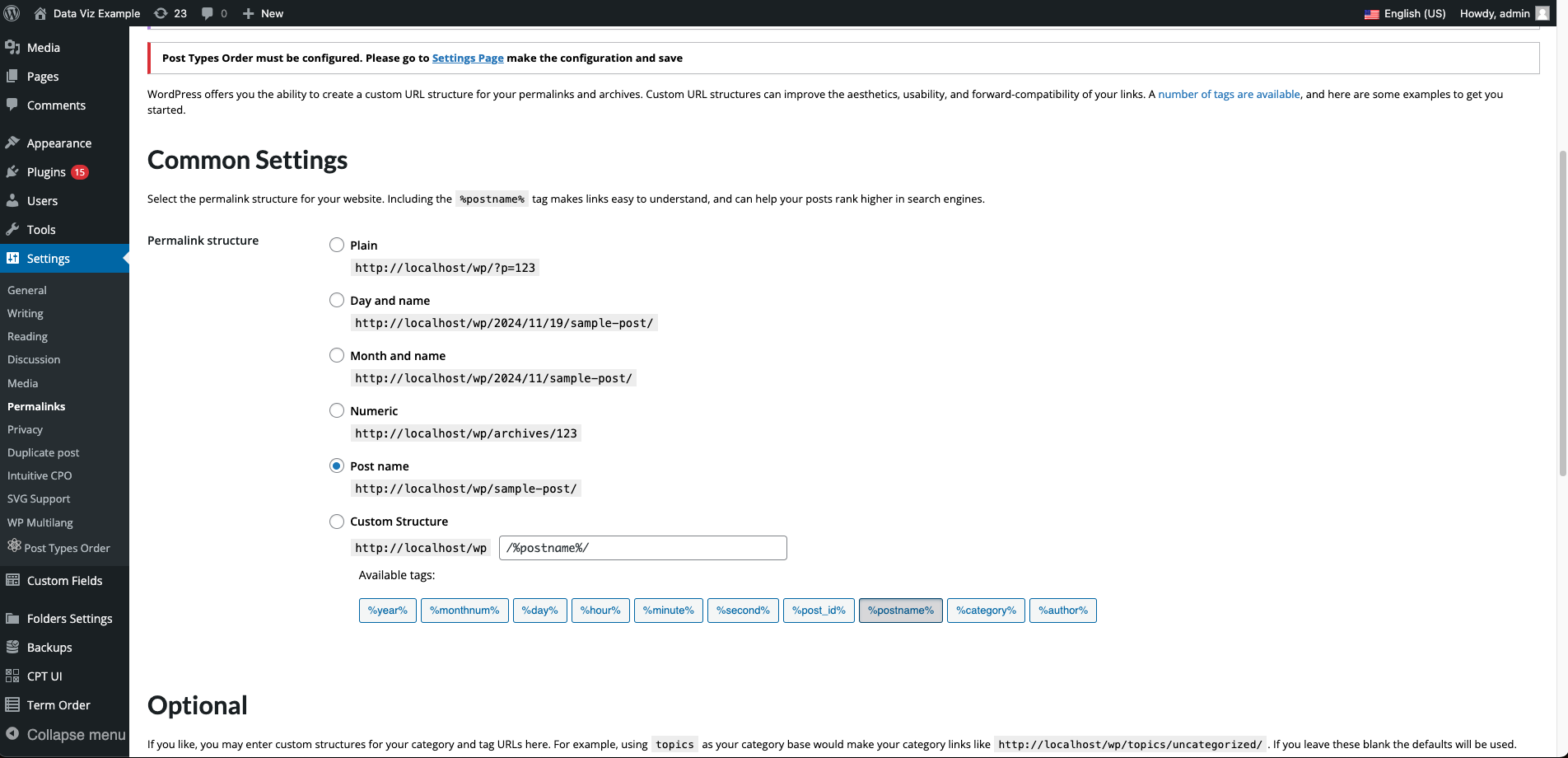
- Click Save Changes.
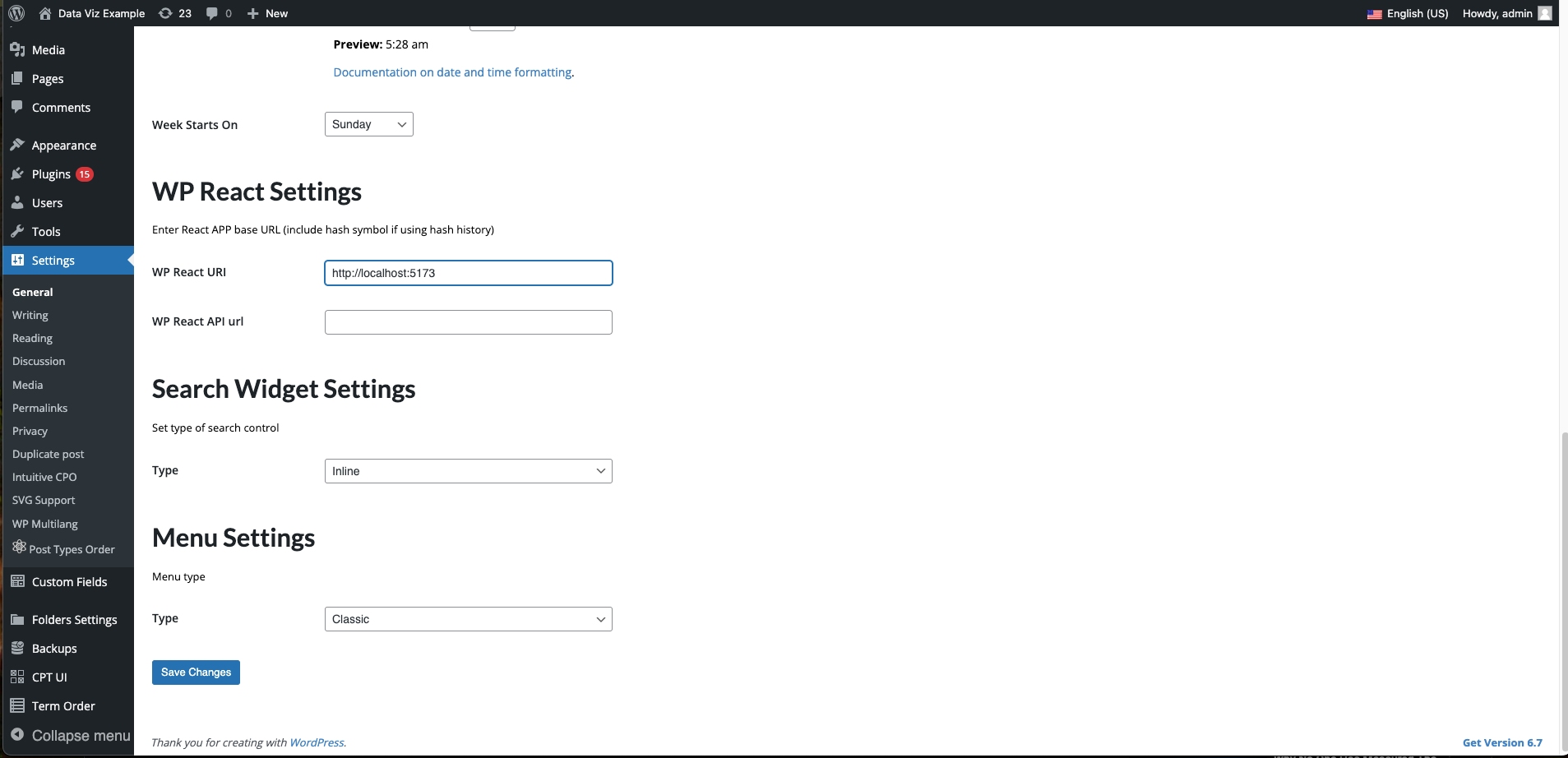
- Go to
Settings > Generaland set the WP React URI field tohttp://localhost:5173or the port your frontend is running on.
Themes And appearance
- Go to
Appearance > Themesand activate the dg-semantic theme as shown below.
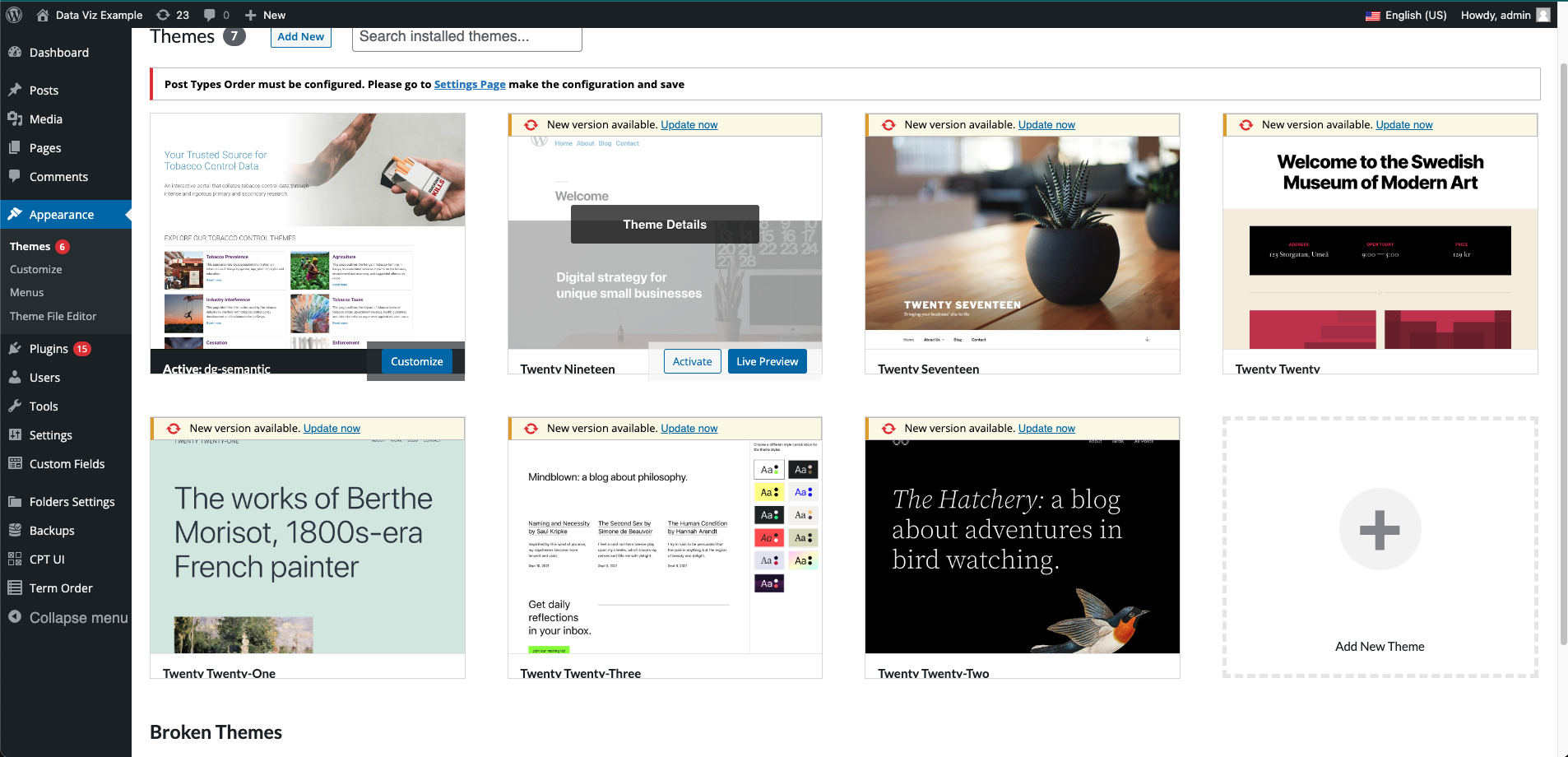
- By activating this theme, WordPress will disable its front-end.
Plugins
- Go to
Pluginsand activate all plugins.